mcp-shrimp-task-manager
Shrimp Task Manager is a task tool built for AI Agents, emphasizing chain-of-thought, reflection, and style consistency. It converts natural language into structured dev tasks with dependency tracking and iterative refinement, enabling agent-like developer behavior in reasoning AI systems
pinned to #8a3be6bupdated last month
Ask your AI client: “install mcps/mcp-shrimp-task-manager”.
Requires the metahub MCP server installed in your client. Set up MCP.
mh install mcps/mcp-shrimp-task-managermetahub onboarded this repo on the author's behalf.
If you own github.com/cjo4m06/mcp-shrimp-task-manager on GitHub, claim the listing to take over publishing. Your claim preserves the existing eval history and badges; only the curator label is replaced with verified-publisher on your next publish.
Stars
2,117
Last commit
last month
Latest release
published
- #agent
- #ai
- #codeagent
- #coding-assistant
- #cursor-ai
- #cursorai
- #mcp
- #mcp-server
- #roocode
- #task-list
- #task-manager
- #tasks
- #thought-processes
- #windsurf
- #windsurf-ai
- #workflow
What this server exposes
Surfaces parsed from this server's source at publish time.
Launches: mcp-shrimp-task-manager
Evaluation report
WarningsAutomated checks the publisher passed at publish time — structure, docs, safety, and whether the artifact behaves as claimed.8a3be6b· last month
Safety
21Dependencies: known vulnerabilitieswarn
2 high/critical advisories — @modelcontextprotocol/[email protected] (HIGH: GHSA-8r9q-7v3j-jr4g) · @modelcontextprotocol/[email protected] (HIGH: GHSA-w48q-cv73-mx4w)
Update the affected packages, then re-publish. (`npm audit` shows the same data locally.)
LICENSE file at repo root
LICENSE
No sensitive files in the repo
scanned for .env, credentials.json, *.pem, .ssh/, AWS / GCP configs — none found
Release history
1- releasecurrent8a3be6bwarnlast month
Contents
🇺🇸 English | 🇩🇪 Deutsch | 🇪🇸 Español | 🇫🇷 Français | 🇮🇹 Italiano | 🇮🇳 हिन्दी | 🇰🇷 한국어 | 🇧🇷 Português | 🇷🇺 Русский | 🇨🇳 中文
MCP Shrimp Task Manager
🦐 Intelligent task management for AI-powered development - Break down complex projects into manageable tasks, maintain context across sessions, and accelerate your development workflow.
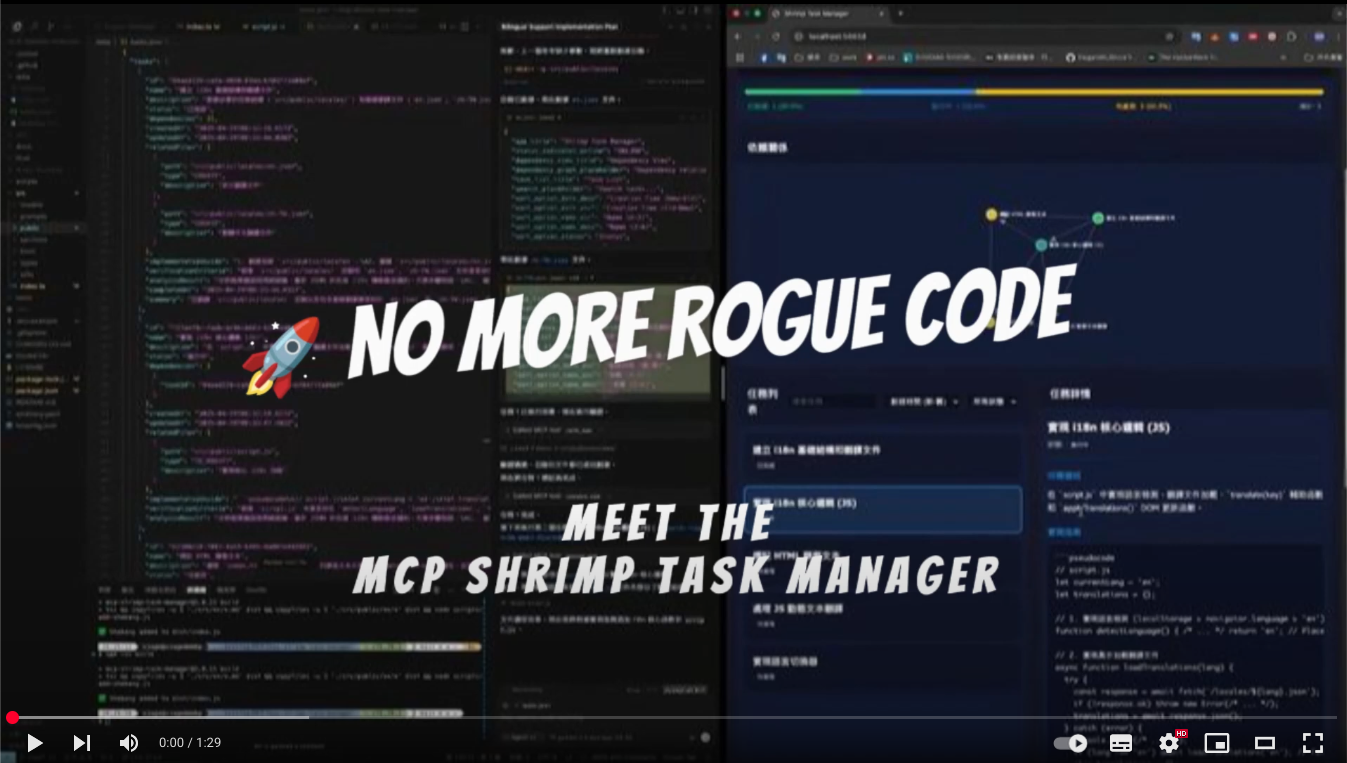
Watch Demo Video • Quick Start • Documentation
🚀 Quick Start
Prerequisites
- Node.js 18+
- npm or yarn
- MCP-compatible AI client (Claude Code, etc.)
Installation
Installing Claude Code
Windows 11 (with WSL2):
# First, ensure WSL2 is installed (in PowerShell as Administrator)
wsl --install

# Enter Ubuntu/WSL environment
wsl -d Ubuntu

# Install Claude Code globally
npm install -g @anthropic-ai/claude-code

# Start Claude Code
claude
macOS/Linux:
# Install Claude Code globally
npm install -g @anthropic-ai/claude-code

# Start Claude Code
claude
Installing Shrimp Task Manager
# Clone the repository
git clone https://github.com/cjo4m06/mcp-shrimp-task-manager.git
cd mcp-shrimp-task-manager

# Install dependencies
npm install

# Build the project
npm run build
Configure Claude Code
Create a .mcp.json file in your project directory:
{
  "mcpServers": {
    "shrimp-task-manager": {
      "command": "node",
      "args": ["/path/to/mcp-shrimp-task-manager/dist/index.js"],
      "env": {
        "DATA_DIR": "/path/to/your/shrimp_data",
        "TEMPLATES_USE": "en",
        "ENABLE_GUI": "false"
      }
    }
  }
}
Example configuration:
{
  "mcpServers": {
    "shrimp-task-manager": {
      "command": "node",
      "args": ["/home/fire/claude/mcp-shrimp-task-manager/dist/index.js"],
      "env": {
        "DATA_DIR": "/home/fire/claude/project/shrimp_data",
        "TEMPLATES_USE": "en",
        "ENABLE_GUI": "false"
      }
    }
  }
}
Then start Claude Code with your custom MCP configuration:
claude --dangerously-skip-permissions --mcp-config .mcp.json
<b>Other AI Clients</b>
Cline (VS Code Extension): A VS Code extension for AI-assisted coding. Add to VS Code settings.json under cline.mcpServers
Claude Desktop: Add to ~/Library/Application Support/Claude/claude_desktop_config.json (macOS) or %APPDATA%\Claude\claude_desktop_config.json (Windows)
Start Using
- Initialize your project:
"init project rules" - Plan a task:
"plan task: implement user authentication" - Execute tasks:
"execute task"or"continuous mode"
💡 What is Shrimp?
Shrimp Task Manager is an MCP (Model Context Protocol) server that transforms how AI agents approach software development. Instead of losing context or repeating work, Shrimp provides:
- 🧠 Persistent Memory: Tasks and progress persist across sessions
- 📋 Structured Workflows: Guided processes for planning, execution, and verification
- 🔄 Smart Decomposition: Automatically breaks complex tasks into manageable subtasks
- 🎯 Context Preservation: Never lose your place, even with token limits
✨ Core Features
Task Management
- Intelligent Planning: Deep analysis of requirements before implementation
- Task Decomposition: Break down large projects into atomic, testable units
- Dependency Tracking: Automatic management of task relationships
- Progress Monitoring: Real-time status tracking and updates
Advanced Capabilities
- 🔬 Research Mode: Systematic exploration of technologies and solutions
- 🤖 Agent System: Assign specialized AI agents to specific tasks (Learn more)
- 📏 Project Rules: Define and maintain coding standards across your project
- 💾 Task Memory: Automatic backup and restoration of task history
Web Interfaces
🖥️ Task Viewer
Modern React interface for visual task management with drag-and-drop, real-time search, and multi-profile support.
Quick Setup:
cd tools/task-viewer
npm install
npm run start:all
# Access at http://localhost:5173
📖 Full Task Viewer Documentation
<kbd>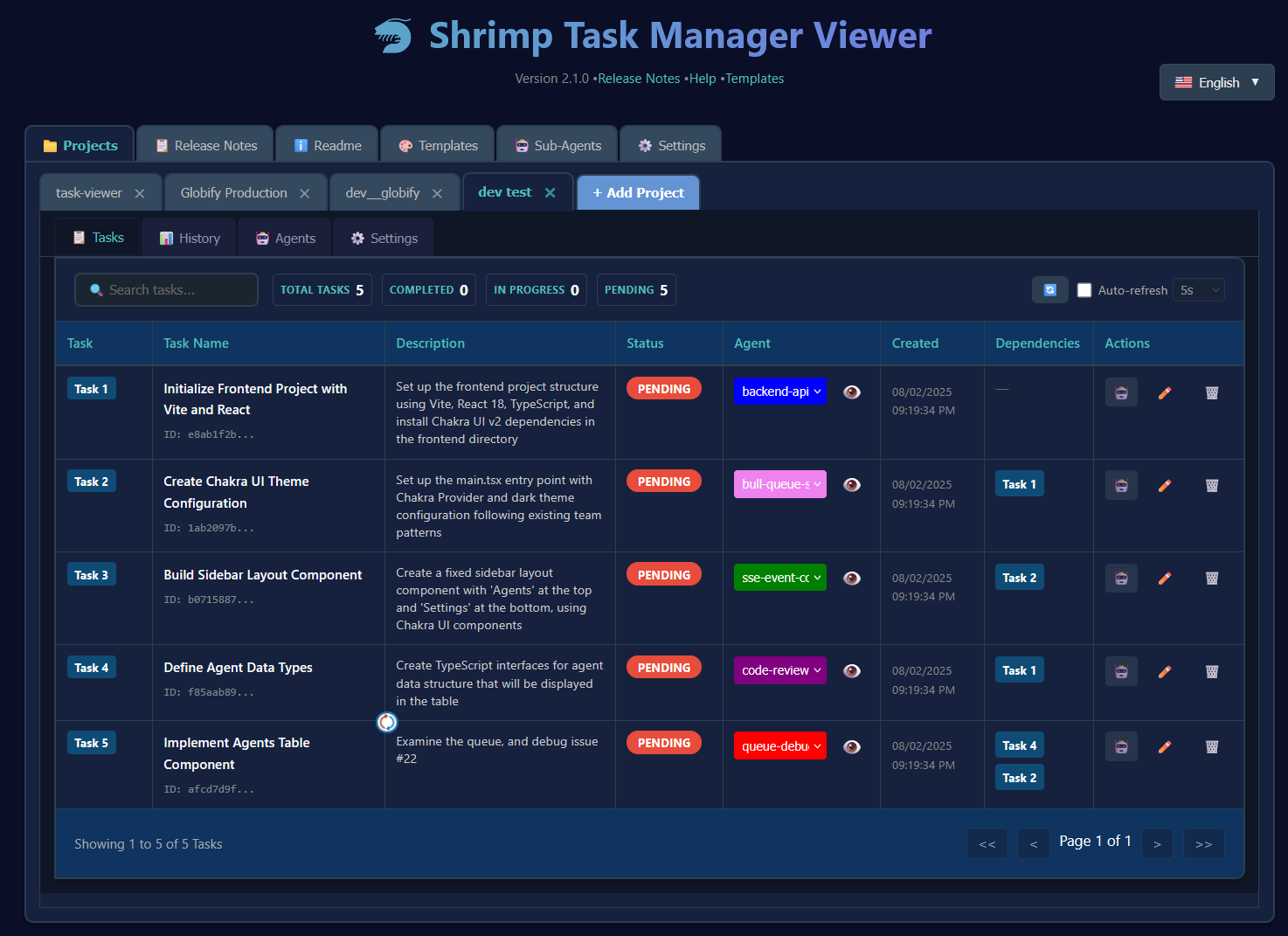 </kbd>
🌐 Web GUI
Optional lightweight web interface for quick task overview.
Enable in .env: ENABLE_GUI=true
📚 Documentation
🎯 Common Use Cases
<b>Feature Development</b>
Agent: "plan task: add user authentication with JWT"
# Agent analyzes codebase, creates subtasks

Agent: "execute task"
# Implements authentication step by step
<b>Bug Fixing</b>
Agent: "plan task: fix memory leak in data processing"
# Agent researches issue, creates fix plan

Agent: "continuous mode"
# Executes all fix tasks automatically
<b>Research & Learning</b>
Agent: "research: compare React vs Vue for this project"
# Systematic analysis with pros/cons

Agent: "plan task: migrate component to chosen framework"
# Creates migration plan based on research
🛠️ Configuration
Environment Variables
Create a .env file:
# Required
DATA_DIR=/path/to/data/storage

# Optional
ENABLE_GUI=true          # Enable web GUI
WEB_PORT=3000           # Custom web port
PROMPT_LANGUAGE=en      # Prompt language (en, zh, etc.)
Available Commands
| Command | Description |
|---|---|
init project rules | Initialize project standards |
plan task [description] | Create a task plan |
execute task [id] | Execute specific task |
continuous mode | Execute all tasks sequentially |
list tasks | Show all tasks |
research [topic] | Enter research mode |
reflect task [id] | Review and improve task |
🤝 Contributing
We welcome contributions! Please see our Contributing Guide for details.
📄 License
This project is licensed under the MIT License - see the LICENSE file for details.
🌟 Credits
Created by cjo4m06 and maintained by the community.
GitHub • Issues • Discussions
Reviews
No reviews yet. Be the first.
Related
@remote-mcp/example
@remote-mcp/example MCP server
@aisuite/chub
CLI for Context Hub - search and retrieve LLM-optimized docs and skills
excel-mcp-server
Excel MCP Server for manipulating Excel files
mh install mcps/mcp-shrimp-task-manager